Ace by AcceptedX: The SAT Tutor That Coaches, Not Answers
Most AI tools are built to just hand you answers. That feels great in the moment, until you realize you can't bring a chatbot into the SAT testing room. Getting fed an answer tonight won't help you when you're facing a similar problem on test day.
Ace takes a completely different approach. Built directly into SAT Studio on AcceptedX, Ace is designed to guide you toward the solution without ever spoiling it. Think of it less like an answer key and more like a dedicated coach on the sidelines. It points out what you overlooked, breaks down tricky concepts and asks the right questions to get you unstuck. You still do the actual work, but you're never left stuck in the dark.
Here is a closer look at how Ace works and why coaching is better than just being handed out the answers every single time.
What Is Ace?
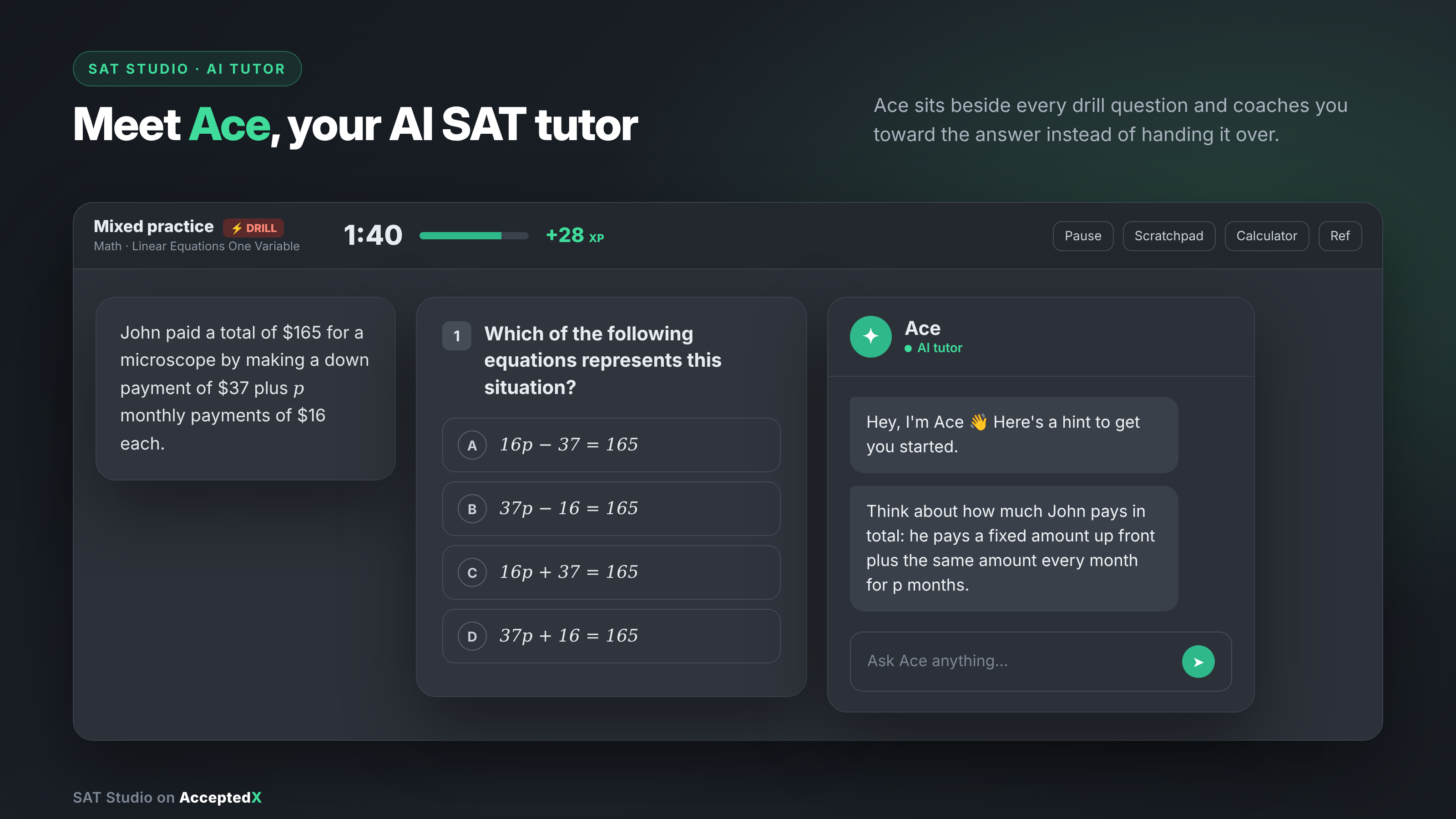
Ace lives right inside SAT Studio, the core study hub on AcceptedX. It is fully integrated into Quick Drills, which are bite-sized practice sets focused on specific skills or mixed review. Each drill question comes with a 2-minute timer, and tackling higher difficulty levels earns you extra XP as you practice.
Whenever you need support, just tap the "Ask Ace" button in the corner. A side panel opens immediately next to your question. The passage, diagram, and answer choices stay right in view on the left while you chat with Ace on the right, so you never have to lose your place or switch context.
Ace operates on one strict rule: it never gives away the answer. Every hint, strategy tip, and follow-up prompt is crafted to sharpen your problem-solving skills, ensuring you learn the method rather than just copying a result.
Advantages of Studying With Ace
1. It coaches instead of handing over answers
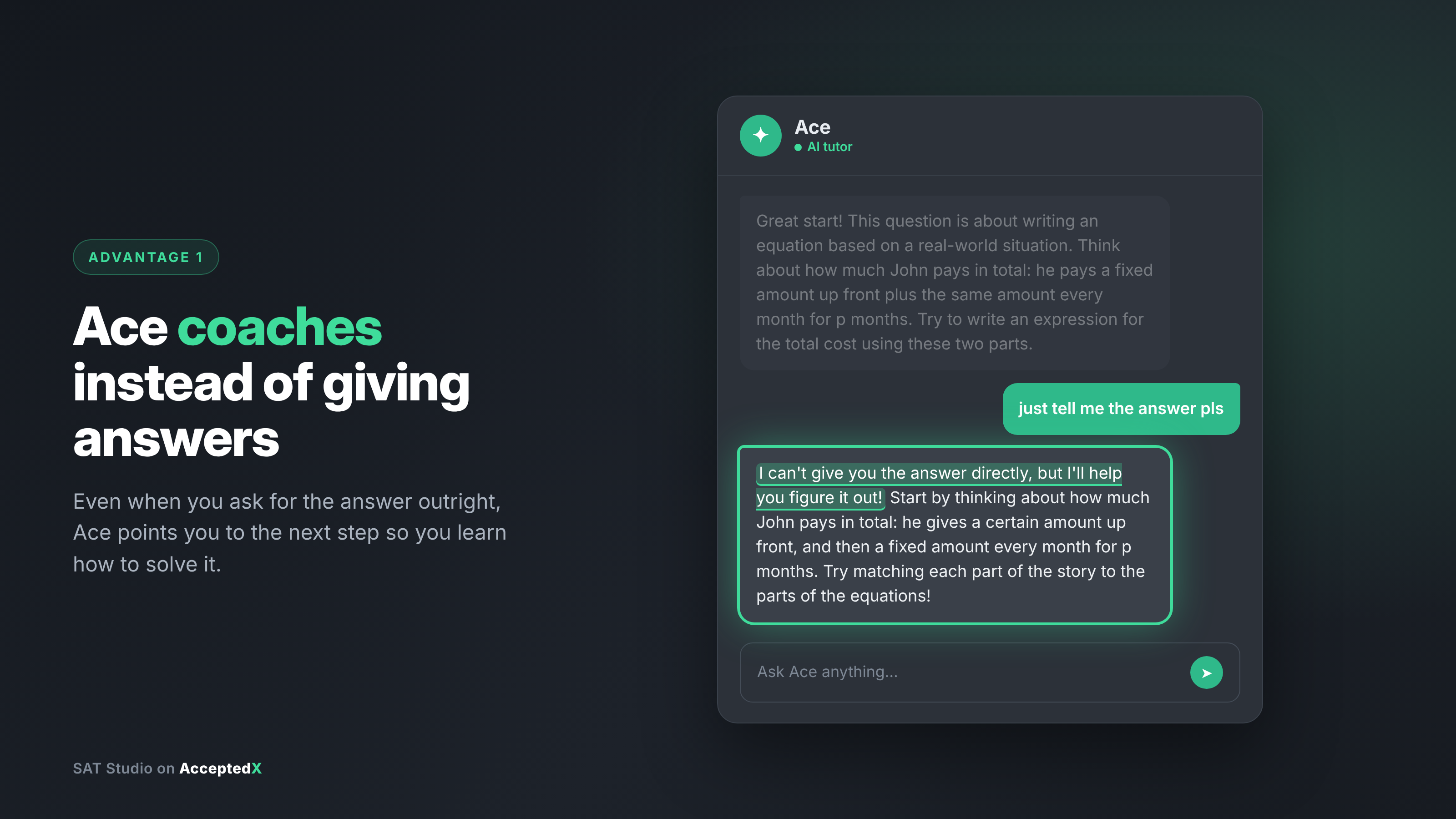
This is where Ace truly shines. Even if you press it for a shortcut, it holds the line. When sent a message like "just give me the answer, time is running out," Ace recognizes the time pressure, politely declines to give the answer, and offers a faster strategy to tackle the equation instead.
Why is this so valuable? Because score gains come from mastering repeatable skills, not memorizing individual answers. By encouraging you to finish the problem yourself, Ace helps you build genuine confidence for test day.
2. Help shows up right next to the question
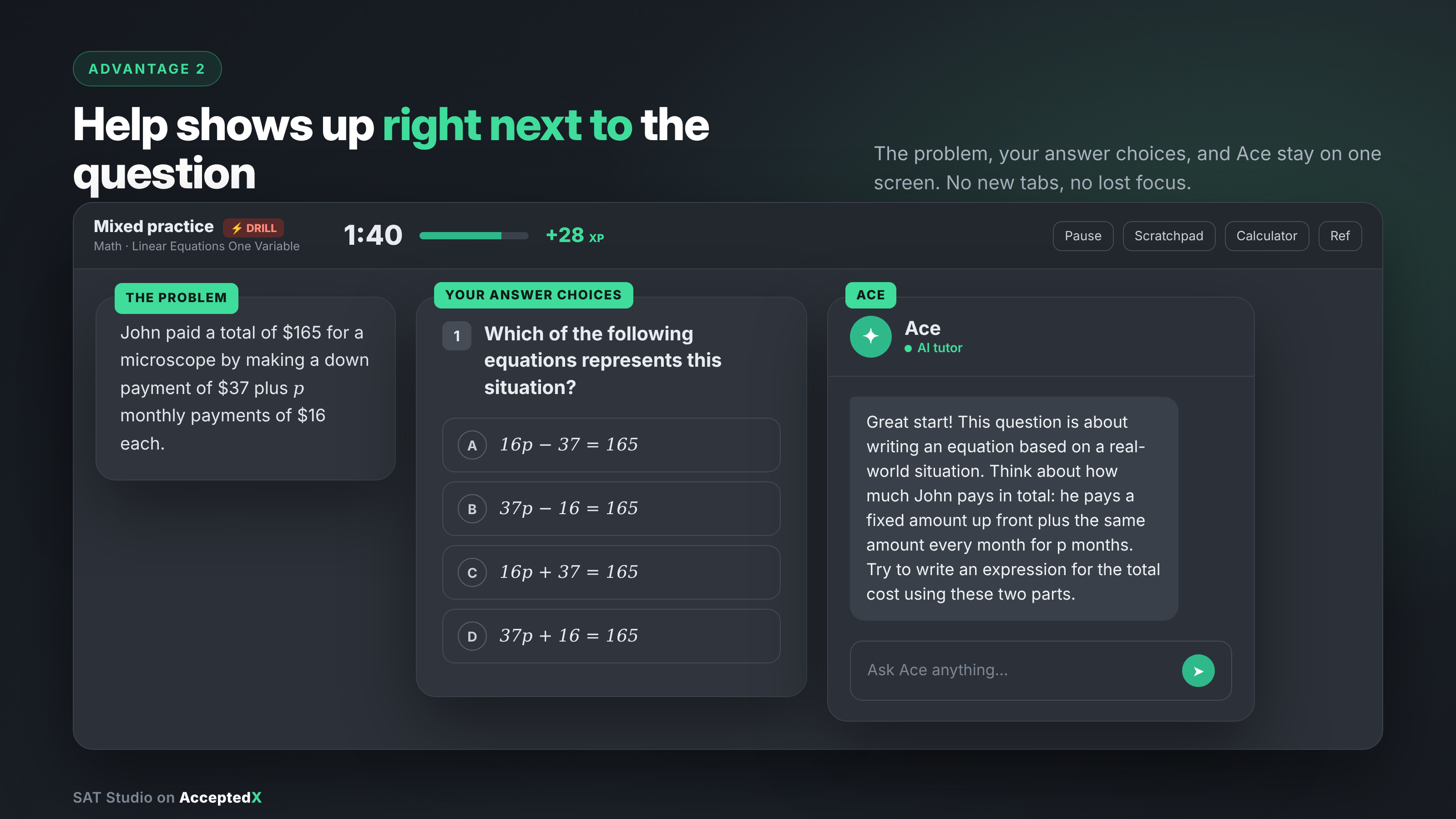
When students get stuck, opening a new tab to search for help usually leads to lost time and broken concentration. Ace opens seamless assistance right alongside your workspace. The passage, figures and options remain fully visible at all times.
It feels like having an expert tutor sitting right next to you, ready to help the second you need a nudge.
3. It starts the conversation for you
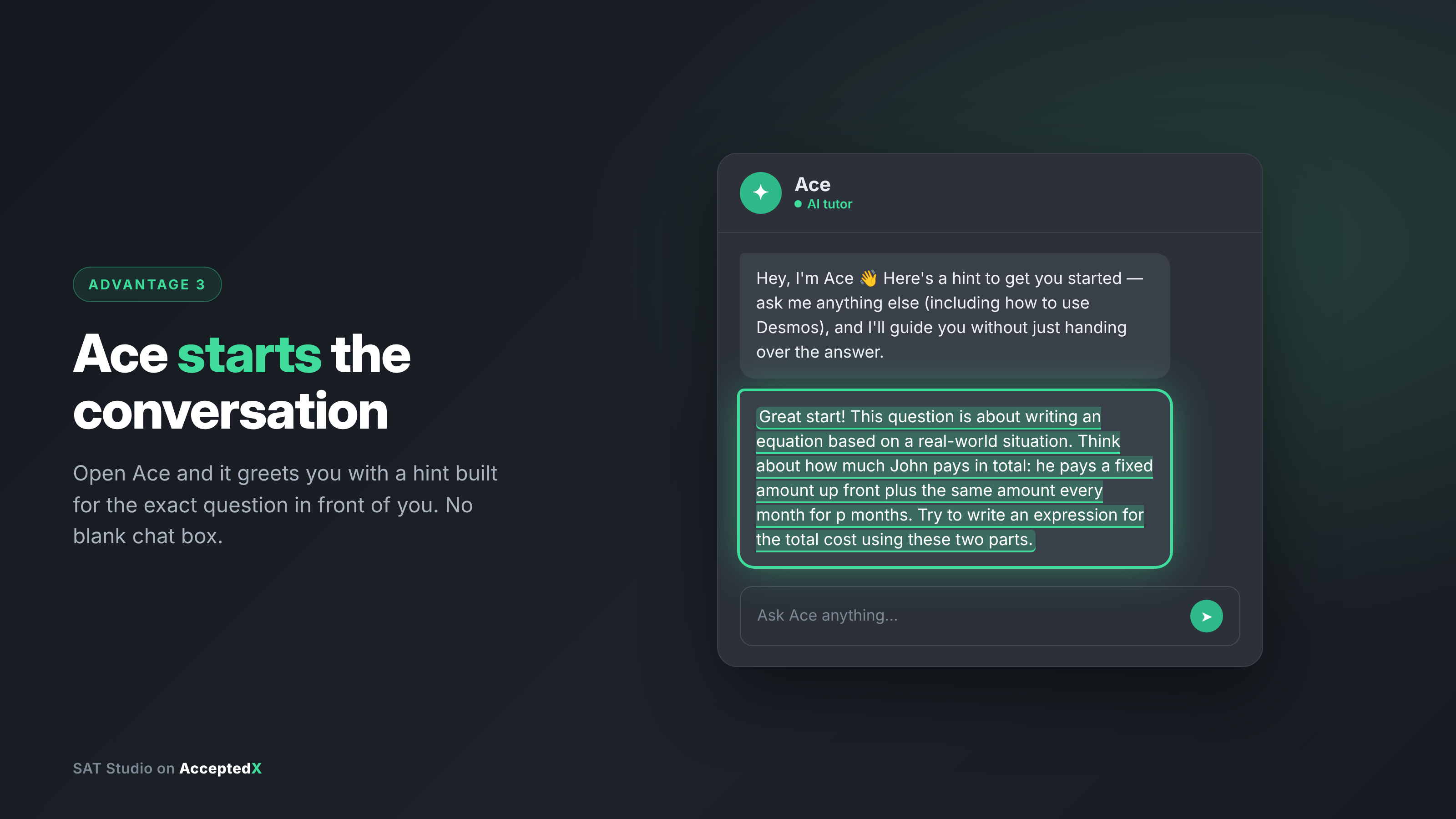
Starting a conversation with a tutor can sometimes feel intimidating when you don't even know what to ask. Ace eliminates that hurdle by proactively starting with a tailored hint. On a Reading question about character motivation, Ace immediately highlighted a key interaction and asked the student to explain the character's reaction in their own words.
There is no empty box staring back at you. You get instant, targeted momentum right when you need it.
4. One tap gets you the kind of help you actually need
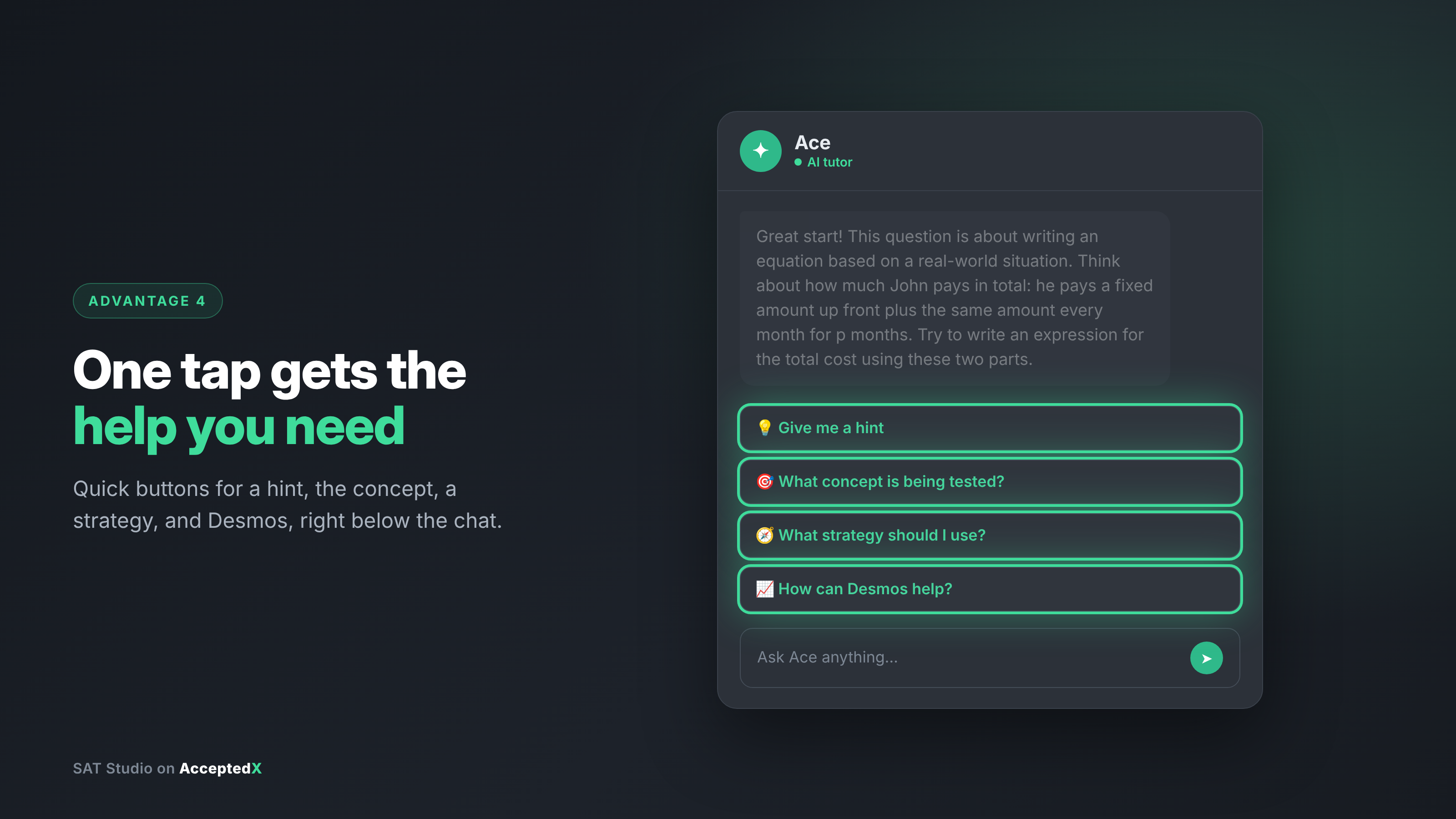
Just below the chat window, Ace provides quick-action buttons for common road blocks:
Give me a hint: Get a gentle push in the right direction.
What concept is being tested?: Identify the core skill behind the question.
What strategy should I use?: Receive a structured step-by-step approach.
How can Desmos help?: Learn how to leverage the built-in graphing calculator on Math questions.
These options adapt dynamically based on the section. The Desmos button appears during Math practice and automatically hides during Reading and Writing, keeping your preparation aligned with the official College Board calculator policy.
5. It teaches you to use Desmos the smart way
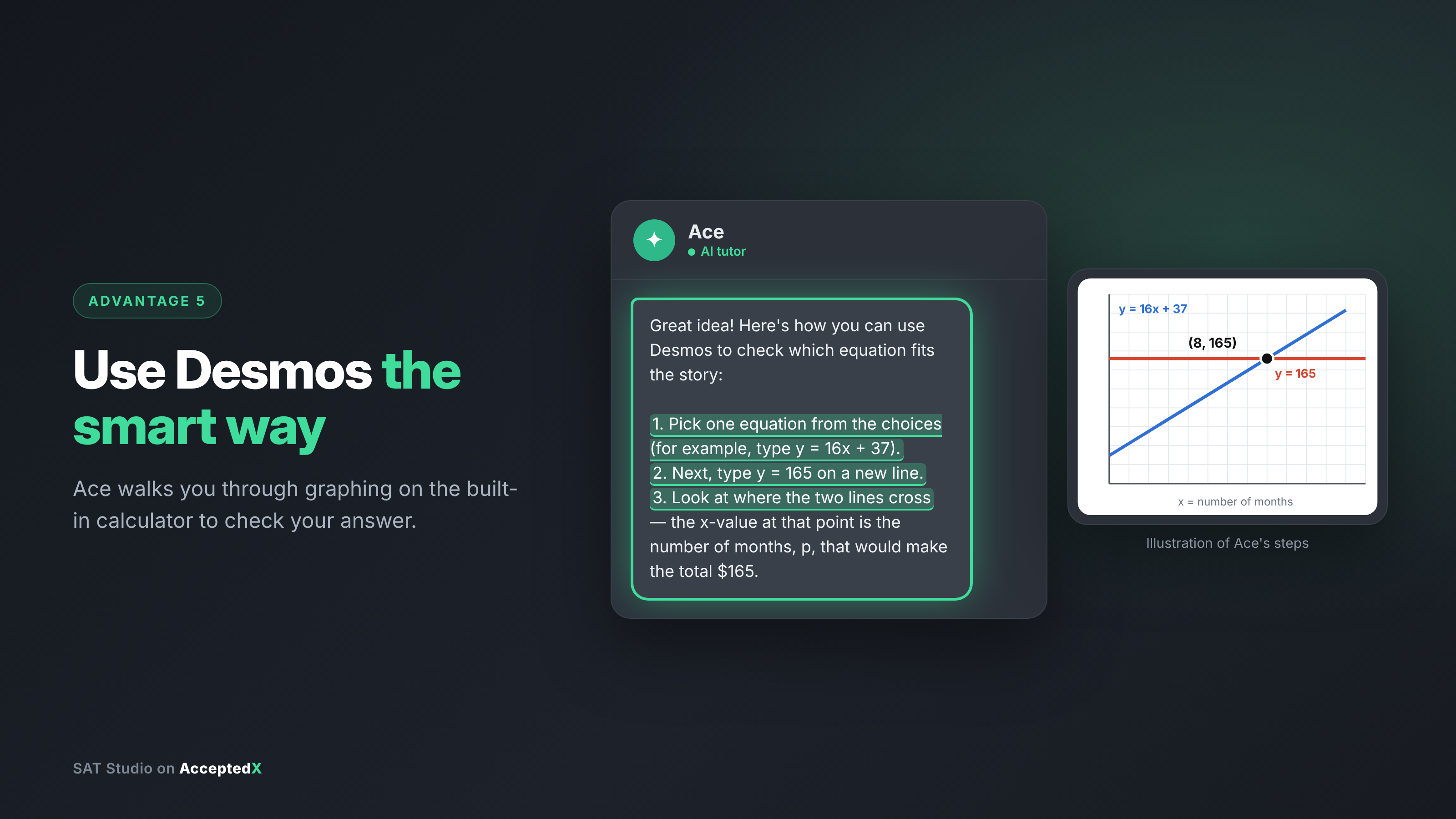
The digital SAT includes an integrated Desmos graphing calculator for Math sections. Knowing when to rely on it can save precious minutes, while over-relying on it for simple algebra can slow you down.
Ace guides you toward smart calculator usage. When you ask how Desmos applies, Ace explains whether graphing offers a quick shortcut or if standard algebraic setup is faster. Learning when not to use a calculator is just as important as knowing how to use one.
6. It checks your reasoning when you guess
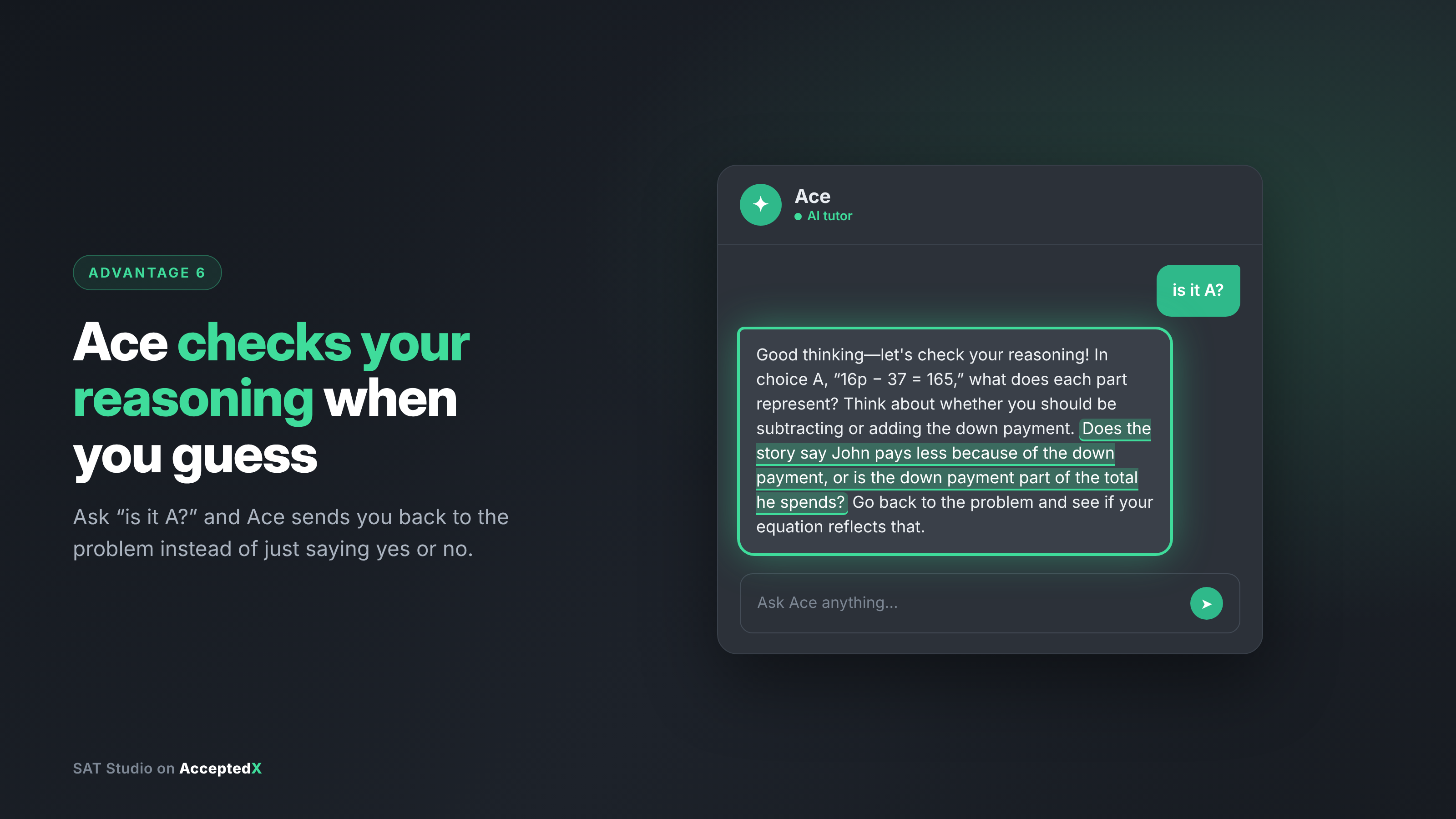
Almost every student relies on educated guesses at times. If you are torn between two options and ask "is it B?", Ace does far more than confirm or deny your choice.
Instead of giving a simple yes or no, Ace highlights the exact sentence in the passage that holds the key and asks you to evaluate it. This prompt helps the correct answer click naturally while training you in the fundamental rule of SAT Reading: always ground your choice in textual evidence.
7. It names the skill behind the question
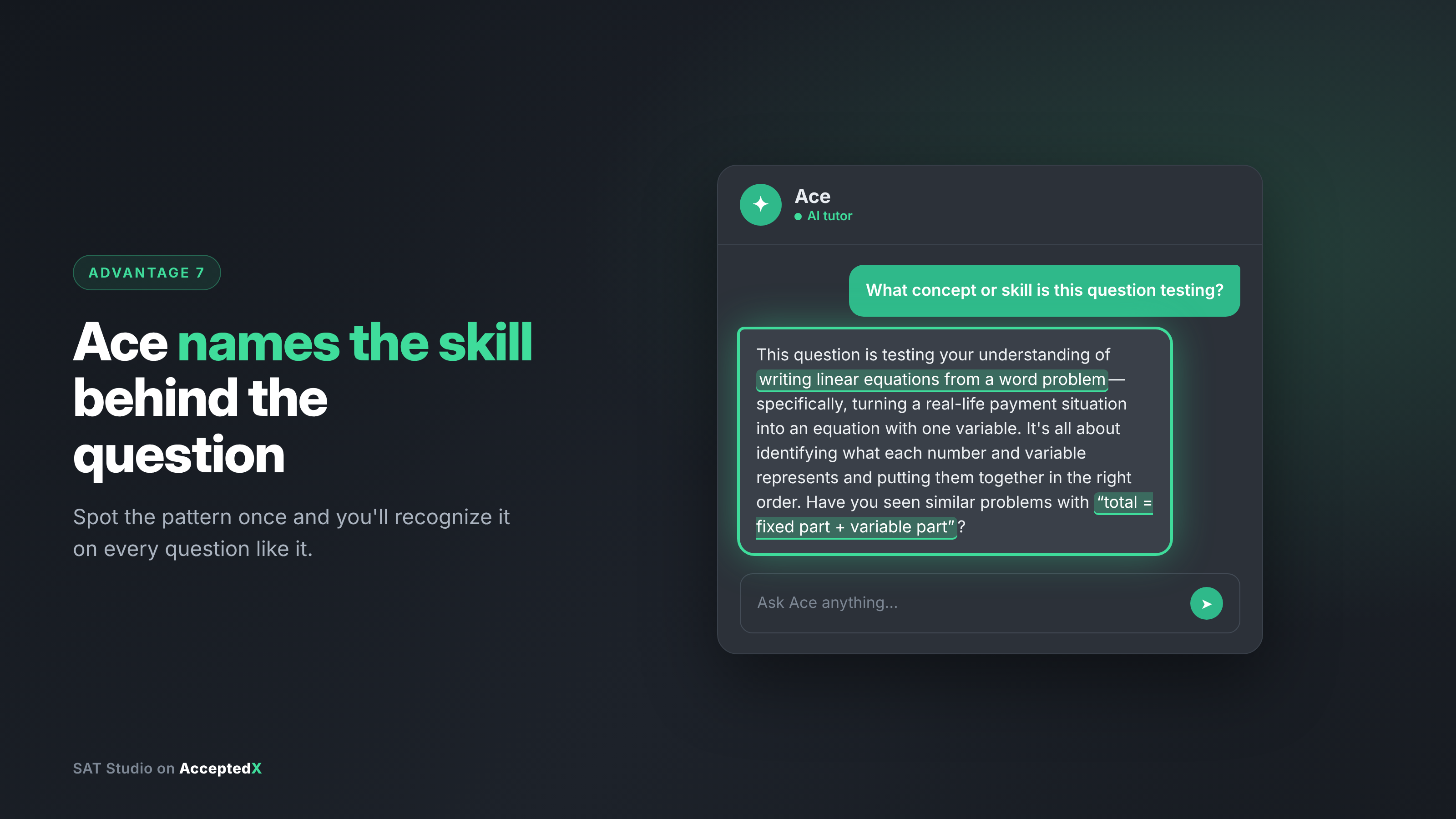
SAT questions evaluate specific testable concepts that repeat in varied formats. When you tap "What concept is being tested?", Ace identifies the underlying topic, such as right triangle trigonometry or main idea inference, and explains what method the question requires.
Once you recognize these recurring patterns, test prep transforms from memorizing dozens of unique problems into mastering a manageable set of core concepts.
8. It works inside drills built around your weak spots
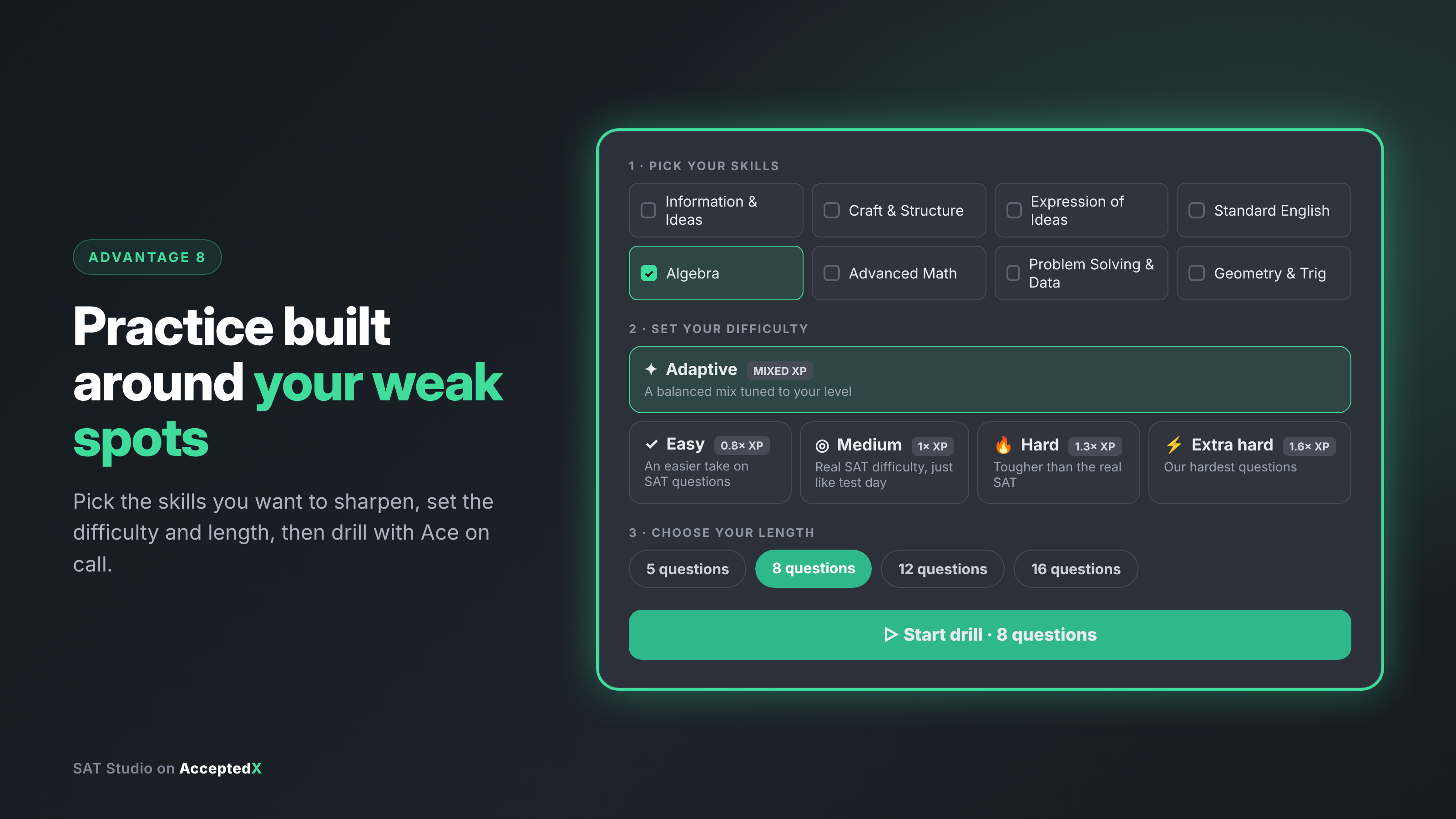
Ace is fully integrated into SAT Studio's personalized practice system. You can customize drills by target skills, difficulty level, and length (5, 8, 12, or 16 questions). The platform also provides a "Where you lose points" analytics breakdown to highlight your exact weak spots.
Combining targeted skill practice with an on-demand AI coach creates a highly focused study routine that maximizes every minute of your prep time.
9. It steps aside when it's time to test yourself
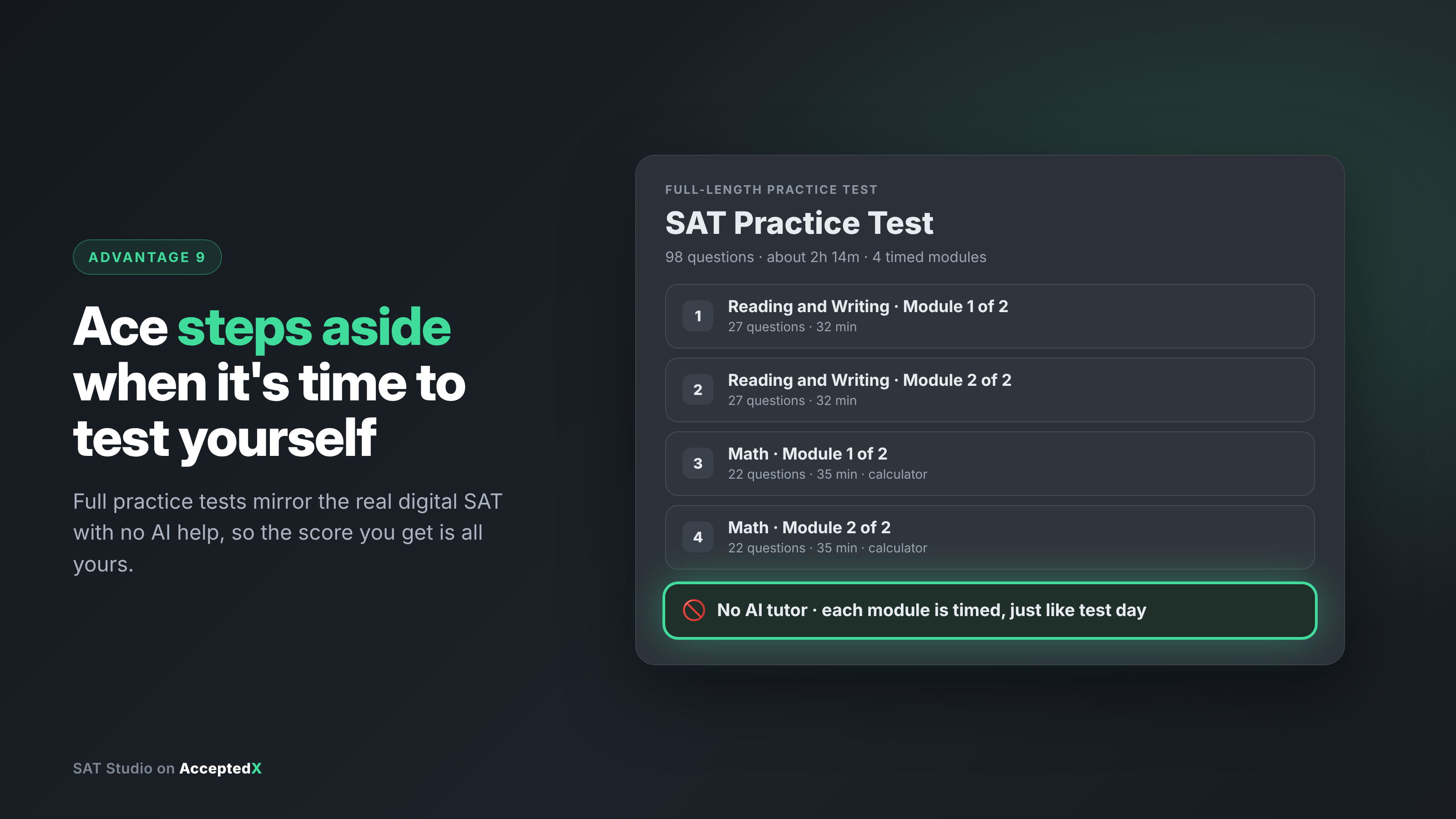
A support tool should build independence rather than reliance. SAT Studio ensures you are truly prepared by keeping Ace inactive during full-length practice tests. These full tests mirror the official digital SAT with four timed modules and 98 questions over 2 hours and 14 minutes, giving you an authentic testing environment.
You hone your techniques using Ace in practice drills, then validate your growth on full-length exams. Every point increase you earn is entirely your own.
How to Get the Most Out of Ace
To get the maximum value out of Ace, adopting a few effective study habits can make a huge difference in your progress.
Attempt every problem first. Give each question a full effort before opening Ace. Working through initial confusion helps hints land much more effectively once you seek guidance.
Share your working thought process. Instead of asking general questions, type out your initial steps. Telling Ace "I set up the equation using tangent, but I am not sure if I chose the right sides" allows it to give precise, actionable feedback.
Review underlying concepts after missed questions. Incorrect answers provide critical insight. Use the concept button to identify the skill area, then schedule focused practice drills on that topic.
Engage actively with hints. Treat Ace as a collaborative partner. If a suggestion feels unclear or doesn't seem to match the passage, ask Ace to reframe the explanation. Active questioning reinforces deep learning.
Maintain time awareness. Quick Drill questions are timed to build test-day pacing. Use Ace to overcome sticking points efficiently without losing focus on time management.
Transition to full test conditions. Once you feel confident in skill drills, take unassisted practice exams to ensure your skill improvements transfer to real test settings.
How AcceptedX Can Help
Ace comes standard inside SAT Studio on AcceptedX, offering a dedicated AI tutor that coaches you through problems instead of giving away answers. Tailor practice drills to your focus areas, set your challenge level, and get guided assistance whenever you need it. When you are ready to evaluate your test readiness, full-length practice exams let you test under realistic timed conditions.
Comprehensive SAT preparation works best within a broader strategy. The Action Plan feature helps you organize test dates, prep blocks, and college application milestones into a clear, manageable roadmap.
Looking for additional personalized guidance? Students enrolled with LogoLife receive complete access to AcceptedX, paired with expert SAT/ACT prep and 1:1 admissions counseling support.
FAQs
Does Ace ever give the actual answer to a question?
A: No. Ace is engineered specifically to withhold direct answers, even if asked directly. Instead, it guides you using hints, strategy breakdowns, and problem setups to help you solve it yourself.
Is Ace available during the full-length practice test?
A: No. Ace is active during Quick Drills, but full-length practice tests run without AI assistance to accurately reflect real digital SAT testing conditions.
Can Ace help on every section of the SAT, or just Math?
A: Ace provides support across all sections. Its quick-action tools automatically adjust, displaying Desmos assistance on Math questions while removing it for Reading and Writing to match test rules.
What's the best way to ask Ace for help?
A: Make an initial attempt on the problem, then share your setup or specific doubt. Providing your thought process allows Ace to deliver tailored, effective guidance.
Does using Ace replace taking full practice tests?
A: No, they fulfill different needs. Guided drills with Ace develop core competencies, while unassisted full-length practice exams measure your readiness under realistic test conditions.